
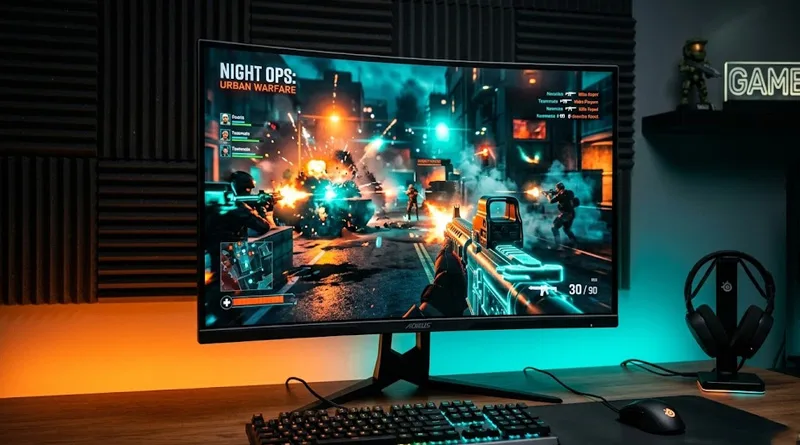
In 2026, 1080p feels like the past, and 4K is still too expensive to run at high frame rates for most players. This has made the search for the Best 1440p Gaming Monitor the most important hardware decision for mid-to-high-end gamers. Known as QHD (Quad High Definition), 1440p offers 77% more screen real estate than standard HD, providing the perfect balance of visual clarity and high-speed performance.
Whether you just invested in a $1000 Pre-built Gaming PC or a $1500 Performance Rig, your monitor is the window to your hardware’s power. If your monitor can’t keep up with your GPU, you are wasting your money. This guide provides an actionable breakdown of the Best 1440p Gaming Monitor options on the market, from budget-friendly IPS panels to the new 2026 OLED kings.
1. Top 5 Best 1440p Gaming Monitor Rankings for 2026
We have ranked these by “Use Case” to help you match your monitor to your specific PC build.
1. The Overall Performance King: LG UltraGear 27GR95QE-B (OLED)
This is currently the Best 1440p Gaming Monitor for enthusiasts. In 2026, OLED technology has become the gold standard for its near-instant 0.03ms response time and infinite contrast ratio.
- Action Feature: 240Hz refresh rate makes this a perfect match for the $1500 Gaming PC owners who want an edge in competitive play.

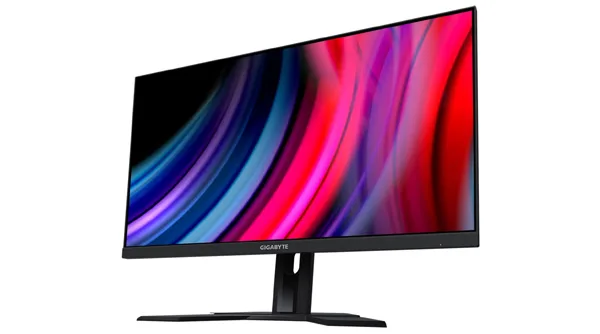
2. The Best Value All-Rounder: Gigabyte M27Q X
If you want the Best 1440p Gaming Monitor without spending OLED money, the M27Q X is the winner. It uses a high-speed IPS panel with 240Hz refresh and excellent color accuracy.
- Action Feature: Built-in KVM switch allows you to control two PCs (like a gaming rig and a work laptop) with one mouse and keyboard.
3. The Pro-Esports Choice: ASUS ROG Swift PG27AQN
This is the Best 1440p Gaming Monitor for those who play at the professional level. It features a staggering 360Hz refresh rate, the fastest currently available for this resolution.
- Best For: Valorant and CS2 grinders who need the absolute lowest possible motion blur.

4. The Budget Entry-Point: Dell S2721DGF
On a strict budget? This is the Best 1440p Gaming Monitor for under $300. It offers 165Hz and G-Sync compatibility, which is the perfect pairing for our $600 Budget Gaming PC Build.
5. The Curved Immersion Choice: Samsung Odyssey G7
For RPG and Sim-Racing fans, the 1000R curve on the Odyssey G7 makes it the Best 1440p Gaming Monitor for pure immersion. It uses a VA panel for better contrast than standard IPS monitors.
2. Choosing Your Best 1440p Gaming Monitor: Panel Tech Explained
When searching for the Best 1440p Gaming Monitor, you will encounter three main panel types. Understanding the “Action Difference” between them is vital.
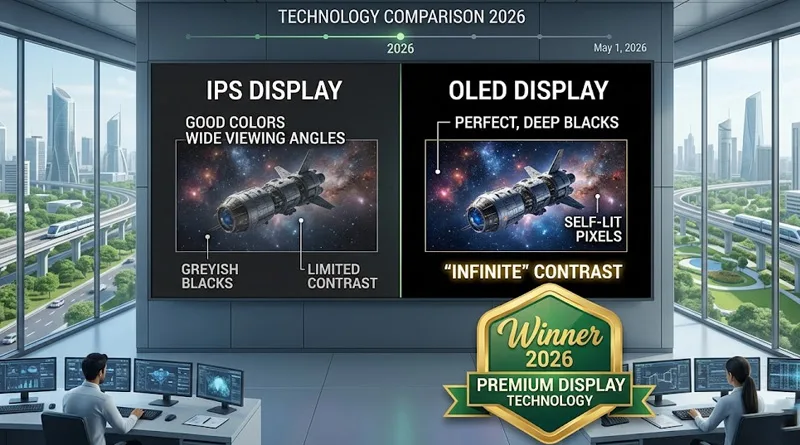
- IPS (In-Plane Switching): The best for color and viewing angles. 90% of the Best 1440p Gaming Monitor lists are dominated by IPS.
- OLED (Organic Light Emitting Diode): The new king of 2026. It has the best image quality and the lowest response time, but it is expensive.
- VA (Vertical Alignment): Great for deep blacks and contrast, but often suffers from “ghosting” in fast-moving scenes.
3. Refresh Rate vs. Resolution: Why 1440p is the Sweet Spot
Why is the Best 1440p Gaming Monitor better than a 4K one? It comes down to bitrate and bandwidth.
The Latency Connection
Higher resolutions put more strain on your GPU, which can increase “system latency.” By choosing a 1440p monitor, you allow your PC to reach higher frame rates, which directly reduces your input lag.
If you want the absolute lowest delay, your monitor is only one piece of the puzzle. Check our guide on What is the Best Latency for Gaming? to see how your network affects your response time.
Bandwidth and Streaming
If you are a streamer, gaming at 1440p is easier on your encoder than 4K, ensuring your audience gets a smooth 60FPS feed.
To ensure your stream doesn’t lag while gaming at 1440p, verify your connection: Does Upload Speed Affect Gaming and Streaming?.
A high-end 1440p display requires a CPU that can keep up with the high frame rates your GPU is pushing. Before you buy a new screen, you must ensure your processor isn’t causing a bottleneck. If you are building a mid-range system, you should find out: Is Intel Core i5 Good for Gaming in 2026? Pairing the right i5 model with your new monitor ensures you get the smooth, high-FPS experience you paid for.
4. Setup and Ergonomics: Supporting Your New View
Buying the Best 1440p Gaming Monitor is a waste if it’s sitting at the wrong height, causing you neck pain.
The “Top Bezel” Rule
For the Best 1440p Gaming Monitor experience, the top edge of the screen should be at your eye level. This prevents you from “hunching” or looking up, which saves your spine.
- Action: Most included stands are too low. We recommend using a Monitor Boom Arm (which we also discussed for mics) to get the perfect height.
Proper screen height is a core rule of ergonomics. See: The Ultimate Healthy Gaming Setup Guide.
5. Summary Decision Matrix: Find Your Match
To help you take immediate action on your Best 1440p Gaming Monitor purchase, follow this path:
- Action: I have a $1500+ PC and want the best visuals. -> Buy the LG UltraGear OLED.
- Action: I play competitive FPS and need the highest speed. -> Buy the ASUS ROG Swift (360Hz).
- Action: I want the best bang-for-my-buck in 2026. -> Buy the Gigabyte M27Q X.
- Action: I am upgrading from 1080p on a budget. -> Buy the Dell S2721DGF.
Conclusion: Take Action on Your Visual Integrity
The Best 1440p Gaming Monitor of 2026 isn’t just a luxury; it is a necessity for anyone moving beyond the entry-level. It provides the clarity to see enemies further away and the speed to react before they see you.
Don’t let an old 60Hz 1080p monitor bottleneck your powerful PC. Choose one of our top-ranked QHD displays, set your refresh rate in Windows, and experience your games the way they were meant to be seen. For more on the hardware that drives these displays, check out our Best Gaming Motherboard of 2026 Review.