

You’ve spent days researching, compared the specs, and finally invested in the Best 1440p Gaming Monitor for your setup. You unbox the screen, set it up on your desk, and look at the back. You see two different ports and two different cables in the box: one HDMI and one DisplayPort. The immediate question hits you: HDMI 2.1 vs DisplayPort 1.4—which cable should you plug into your graphics card?
For years, PC gamers had a simple rule: always use DisplayPort. However, the arrival of HDMI 2.1 has completely disrupted this standard. Today, the choice of HDMI 2.1 vs DisplayPort 1.4 is a highly technical decision that depends on your graphics card, your monitor’s maximum refresh rate, and whether you are playing on a PC or a next-gen console like the PS5 or Xbox Series X. This guide provides a direct, no-nonsense comparison to help you choose the correct connection for maximum frames and zero stuttering.
Table of Contents
1. The Bandwidth Battle: HDMI 2.1 vs DisplayPort 1.4
The most surprising fact in the HDMI 2.1 vs DisplayPort 1.4 debate is that the HDMI cable actually has higher raw data capacity.
The Raw Bandwidth Numbers
Data transmission is measured in Gigabits per second (Gbps). A larger pipe allows you to run higher resolutions at faster refresh rates without compressing the colors.
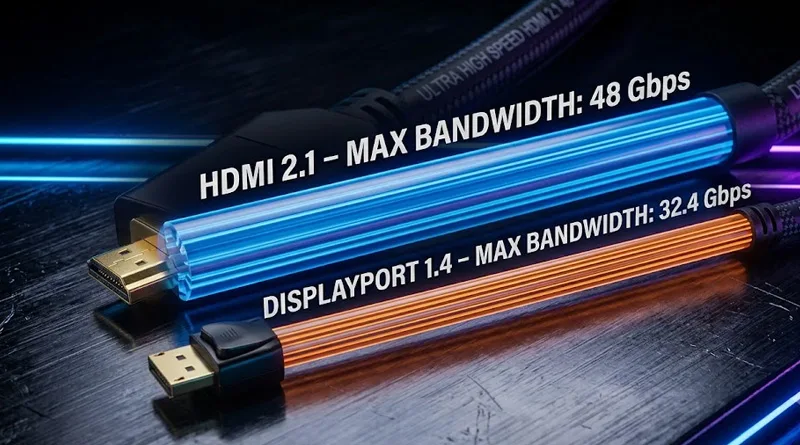
- DisplayPort 1.4: Max bandwidth of 32.4 Gbps.
- HDMI 2.1: Max bandwidth of 48.0 Gbps.
On paper, the raw bandwidth test of HDMI 2.1 vs DisplayPort 1.4 is won by HDMI 2.1. It can comfortably run native 4K at 120Hz or 1440p at 240Hz without using any compression tricks.
The Savior: Display Stream Compression (DSC)
If DisplayPort 1.4 has less bandwidth, how does it run high-speed monitors? It uses a technology called DSC (Display Stream Compression). This is a visually lossless compression system that squeezes the data to fit through the smaller DisplayPort pipe. While it works perfectly and is invisible to the human eye, some purists still prefer the uncompressed signal of HDMI 2.1.
2. G-Sync and Adaptive Sync: The NVIDIA PC Mandate
If you are a PC gamer using an NVIDIA graphics card, the HDMI 2.1 vs DisplayPort 1.4 choice is decided by G-Sync compatibility.
NVIDIA G-Sync Requirements
NVIDIA’s proprietary variable refresh rate technology (G-Sync) has strict connection requirements.
- Over DisplayPort: G-Sync and G-Sync Compatible standards work flawlessly over all DisplayPort connections (including older DP 1.2 and DP 1.4).
- Over HDMI: G-Sync only works over HDMI if you are using an RTX 30-series or 40-series card connected to an official HDMI 2.1 monitor. If you are using an older GPU or a standard HDMI 2.0 port, G-Sync will be completely disabled.
For PC players with NVIDIA GPUs, the HDMI 2.1 vs DisplayPort 1.4 winner is almost always DisplayPort 1.4 because it guarantees variable refresh rate support without hardware compatibility headaches.
3. PC vs. Console: Defining Your Gaming Platform
Your choice of HDMI 2.1 vs DisplayPort 1.4 is heavily dictated by the machine you are plugging the cable into.
Why HDMI 2.1 is King for Consoles
The PlayStation 5 and Xbox Series X do not have DisplayPort outputs. They are designed entirely around the television ecosystem.
- The Verdict: If you are connecting your console to a high-refresh monitor, you must use HDMI 2.1. This is the only way to achieve 4K at 120Hz or 1440p at 120Hz with Variable Refresh Rate (VRR) enabled on consoles.
Why DisplayPort 1.4 is King for PCs
Most graphics cards feature three DisplayPort outputs and only one HDMI port.
- The Verdict: DisplayPort remains the default PC standard. It offers better multi-monitor support (daisy-chaining) and is more reliable for pushing ultra-high refresh rates (like 360Hz) at 1440p resolution.
4. Resolution and Refresh Rate: The 1440p Matchup
Let’s look at how the HDMI 2.1 vs DisplayPort 1.4 debate applies to the most popular monitor setups.
At 1440p / 144Hz – 165Hz
Both cables can handle this resolution with ease. You can use either one without seeing any difference in latency or color quality.
At 1440p / 240Hz – 360Hz
- Using DisplayPort 1.4: It will use DSC (compression) to reach these speeds. It works flawlessly and is the recommended connection for PC players.
- Using HDMI 2.1: It can reach 240Hz uncompressed, but your monitor must support the full 48 Gbps HDMI 2.1 specification (many budget monitors only offer HDMI 2.0).
To see if your hardware can actually push the high frame rates required for a 240Hz screen, check our guide: Is Intel Core i5 Good for Gaming?.
Conclusion: The Actionable Verdict on HDMI 2.1 vs DisplayPort 1.4
The final decision of HDMI 2.1 vs DisplayPort 1.4 comes down to your primary gaming system:
- Choose DisplayPort 1.4 if: You are playing on a PC with an NVIDIA graphics card, you have a multi-monitor setup, or you are pushing refresh rates above 144Hz. It is the most stable, reliable connection for computer gaming.
- Choose HDMI 2.1 if: You are playing on a PS5 or Xbox Series X, or you are connecting a newer RTX graphics card to a high-end OLED display that supports the full HDMI 2.1 bandwidth.
Don’t let a bad cable bottleneck your expensive monitor. Plug into the correct port, go into your display settings, and ensure your refresh rate is set to the absolute maximum. Your eyes will thank you.
Check out the official VESA DisplayPort Certified Cable database