

For 3D artists, animators, and architects in 2026, the best graphic card for 3d rendering overall is the NVIDIA GeForce RTX 4070 Ti Super (16GB) because it provides the mandatory 16GB of VRAM and high-speed CUDA/OptiX acceleration for around $799. If your budget has zero limits and you need to render massive cinematic scenes, the NVIDIA GeForce RTX 4090 remains the undisputed world best graphic card for creative workstations. In 3D rendering, NVIDIA is mandatory; AMD graphics cards lag severely behind due to lack of native OptiX support in software like Blender.
Unlike gaming—where frame rates and rasterization dominate—choosing a GPU for 3D applications (Blender, Unreal Engine 5, Autodesk Maya, Cinema 4D, and 3ds Max) requires evaluating completely different hardware specifications. A card that runs games smoothly can instantly crash during a viewport render if it lacks sufficient video memory. This guide breaks down the essential criteria for 3D production: VRAM capacity, CUDA core density, and OptiX ray-tracing acceleration. To see how these creator GPUs compare to pure gaming setups, explore our master guide on The Best Graphics Card for Gaming in 2026.
1. The VRAM Rule: Why Memory Capacity Dictates the Best Graphic Card for 3D Rendering
In video games, running out of VRAM causes textures to pop in late or frame rates to stutter. In 3D rendering, running out of VRAM results in the dreaded “CUDA Out of Memory” crash.
The Scene Geometry and Texture Limit
When you hit “Render” in Blender Cycles or V-Ray, your computer must load every 3D polygon, 4K texture map, volume fog, and lighting calculation directly into the graphics card’s dedicated VRAM.
- Under 12GB of VRAM (High Risk): An 8GB or 10GB card will crash instantly when attempting to render complex scenes with high-poly models or realistic hair and fur simulations.
- 16GB of VRAM (The Creator Sweet Spot): The minimum capacity recommended for serious 3D modeling and animation in 2026.
- 24GB of VRAM (The Studio Standard): Essential for production artists working on feature films, photorealistic architectural visualizations, and heavy Unreal Engine 5 cinematics.
Table of Contents
2. NVIDIA CUDA & OptiX: Why AMD Lags Behind in 3D Rendering
While AMD makes fantastic gaming graphics cards, NVIDIA holds a near-monopoly in 3D creative pipelines.
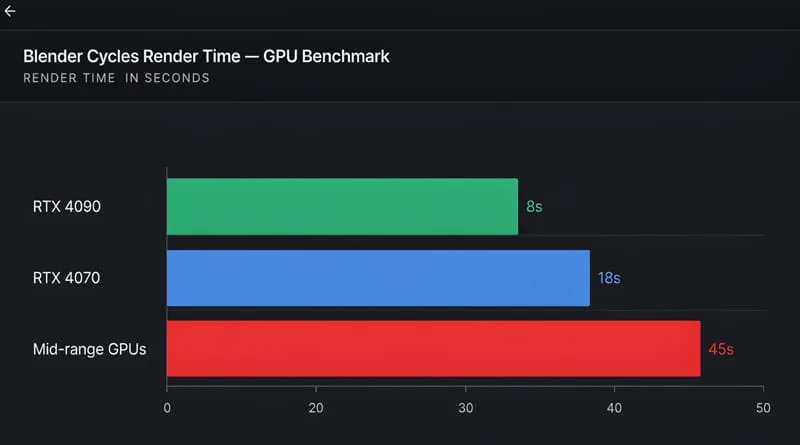
The Power of OptiX Hardware Acceleration
NVIDIA developed OptiX, an API that allows rendering engines to use dedicated RT (Ray Tracing) cores to calculate light paths in physical 3D space.
- The Render Time Gap: In official Blender Open Data benchmarks, an NVIDIA card using OptiX renders scenes two to three times faster than an AMD graphics card of the exact same price.
- Software Stability: Industry-standard tools like OctaneRender, Redshift, and Chaos V-Ray are built natively for NVIDIA CUDA. If you rely on 3D rendering for freelance work or university, buying NVIDIA is non-negotiable.
3. The Flagship Titan: Why the RTX 4090 is the World Best Graphic Card
For professional 3D animators with no budget constraints, one card stands entirely alone at the top of the mountain.
The Undisputed King of Creators
The NVIDIA GeForce RTX 4090 is universally recognized as the world best graphic card for offline rendering and real-time virtual production.
- Massive 24GB GDDR6X Buffer: Allows you to keep dozens of 8K textures and millions of subdivision polygons loaded in memory without crashing.
- 16,384 CUDA Cores: Cuts viewport preview times down to near real-time, allowing you to tweak lighting and materials interactively without waiting for sample noise to clear.
Want to see how the RTX 4090 performs in gaming? Explore our rankings in The 5 Best High-End Graphics Cards for 4K Gaming in 2026.
4. Top 4 Best Graphic Card for 3D Rendering Options (2026 Picks)
We have evaluated these cards specifically on Blender Cycles performance, VRAM buffer size, and price-to-render speed.
1. The Overall Value Champion: NVIDIA GeForce RTX 4070 Ti Super (16GB)
This is widely considered the best graphic card for 3d rendering for independent freelancers and design students.
- Why It Wins: NVIDIA previously limited this price tier to 12GB, but the “Ti Super” upgrade added a full 16GB of VRAM on a wider 256-bit bus, giving you production-tier stability for around $799.
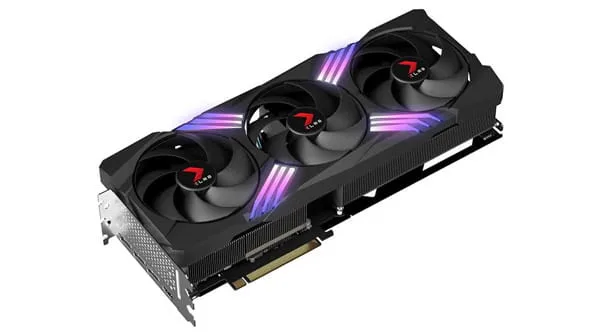
2. The High-End Studio Workhorse: NVIDIA GeForce RTX 4080 Super (16GB)
If you need faster render times but cannot afford the extreme $1,600+ price of the world best graphic card, the RTX 4080 Super is the premier alternative.
- Why It Wins: It features 10,240 CUDA cores, offering roughly 20% faster final render exports than the 4070 Ti Super while keeping power consumption manageable.
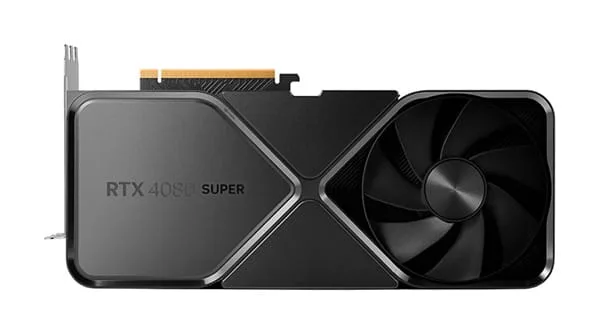
3. The Best Budget 16GB Entry: NVIDIA GeForce RTX 4060 Ti (16GB Version)
If you are on a strict sub-$450 budget, this is the best graphic card for 3d rendering.
- The Secret: Make sure you buy the 16GB model, NOT the standard 8GB model! While its raw compute speed is modest, the 16GB memory buffer ensures your complex student projects and architectural models will never crash due to memory limits.
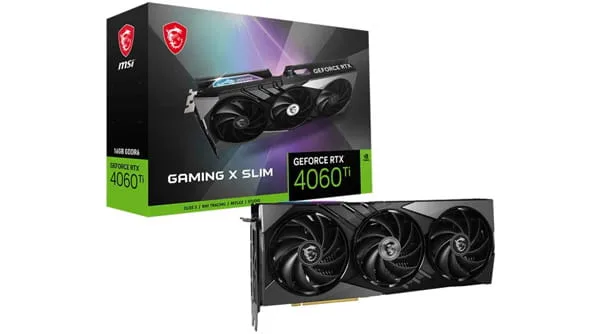
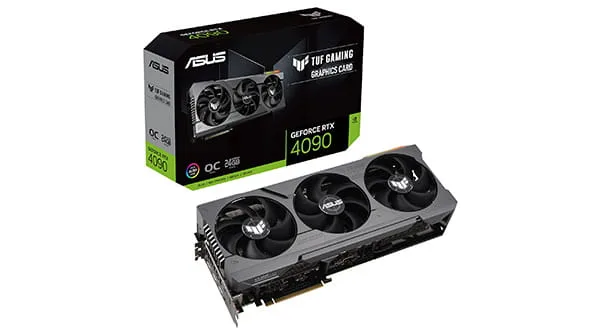
4. The Pinnacle: NVIDIA GeForce RTX 4090 (24GB)
The undisputed world best graphic card for studio professionals who generate income from 3D animation, rendering, and AI development.
5. System Pairing: Supporting Your 3D Render GPU
A powerful 3D rendering graphics card requires a system that won’t bottleneck it during heavy project exports.
System RAM (Match Your VRAM)
If your graphics card has 16GB of VRAM, your computer should have at least 32GB or 64GB of system RAM. When loading massive 3D assets from your storage drive, system memory holds the project data before transferring it to the GPU.
Ready to pair your GPU with the right processor? See our analysis: Is Intel Core i5 Good for Gaming and Productivity in 2026?
Power and Heat Under Sustained Loads
Unlike gaming where GPU loads fluctuate, 3D rendering pins your graphics card at 100% maximum power for hours at a time.
- Cooling Requirement: Ensure your PC case has high airflow to prevent thermal throttling during overnight renders.
Avoid heat buildup during long render jobs: How to Stop PC from Overheating.
Conclusion: Invest in VRAM and CUDA Stability
Finding the best graphic card for 3d rendering in 2026 comes down to avoiding memory crashes and utilizing NVIDIA’s OptiX ecosystem.
For students and indie creators, the RTX 4070 Ti Super 16GB provides the ideal balance of price, memory capacity, and rendering speed. For studio professionals demanding the absolute pinnacle of computing power, the RTX 4090 remains the undisputed world best graphic card that turns multi-hour renders into minutes.
Choose the card that matches your project scale, install NVIDIA’s stable Studio Drivers, and bring your creative visions to life without bottlenecks.
Check official Blender Open Data GPU benchmark scores on opendata.blender.org