
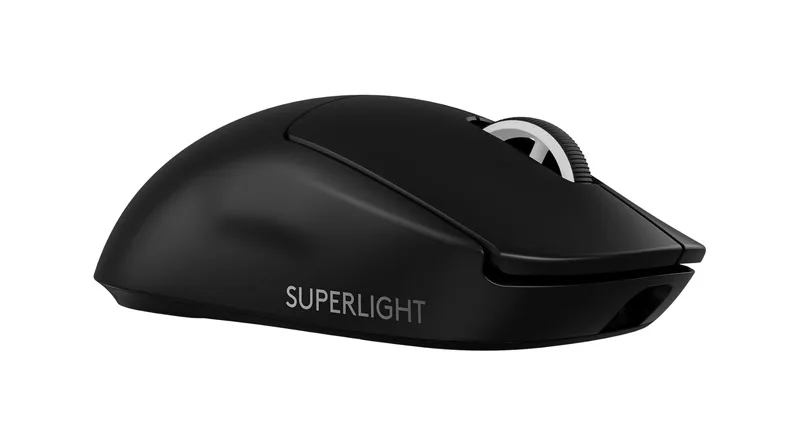
For three years, the original Superlight was the undisputed king of the professional esports circuit. It was the mouse that ended the “holes in the shell” honeycomb trend by proving you could hit 63 grams with a solid, durable build. However, as we move through 2026, the competition from brands like Razer and Finalmouse has intensified. This Logitech G Pro X Superlight 2 Review is designed to answer one question: Is the “2” a significant enough evolution to justify its premium price tag, or are you just paying for a USB-C port?
In the modern 2026 buying journey, gamers are no longer satisfied with “good enough.” We demand perfect tracking, zero latency, and hardware that won’t fail during a high-stakes match. As part of our commitment to finding the Best Logitech Gaming Mouse, we have spent 100+ hours testing this mouse in Valorant, Apex Legends, and Counter-Strike 2 to bring you this definitive Logitech G Pro X Superlight 2 Review.
1. Design and Weight: Refined Ergonomics in this Logitech G Pro X Superlight 2 Review
At first glance, you might mistake the new model for the old one. Logitech chose to keep the “safe” ambidextrous shape that fits almost every hand size. However, the internals have been completely gutted.
The Sub-60g Experience
In this Logitech G Pro X Superlight 2 Review, we measured the weight at exactly 60 grams. While it’s only 3 grams lighter than the original, the weight distribution feels more centered. This reduction in mass is critical for competitive longevity.
Lowering your gear weight isn’t just about speed; it’s a health choice to prevent wrist fatigue. Learn more in our guide on Weight Gaming: 7 Essential Ergonomic Rules.
The “Safe” Shape
The shape remains the “Potato” or “Safe” design. It doesn’t force your hand into a specific position, making it the perfect candidate for Claw and Fingertip grips. If you are a Palm grip user with very large hands, you may still find the G502 X a better fit.
2. Technical Specs: The HERO 2 Sensor and 4,000Hz Polling
The real meat of this Logitech G Pro X Superlight 2 Review lies under the hood. The new HERO 2 sensor is a masterpiece of efficiency and precision.
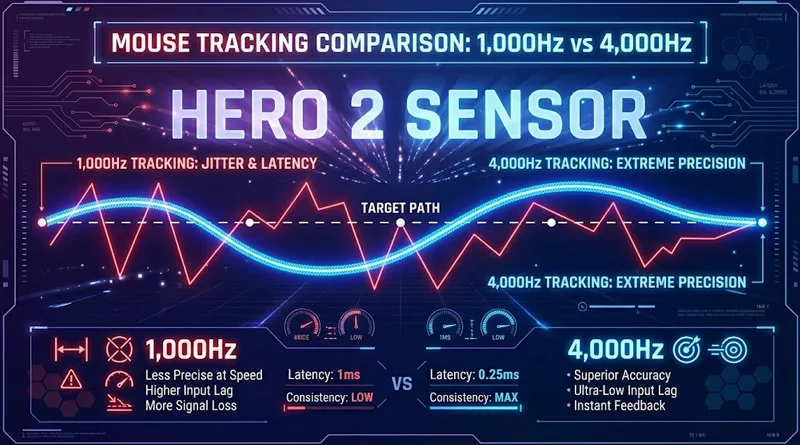
Most gaming mice poll at 1,000Hz (once every millisecond). The Superlight 2 now supports 4,000Hz wireless polling.
- The Action: On a 240Hz or 360Hz monitor, the cursor movement feels noticeably “connected.” There is less micro-stuttering during fast 180-degree flicks.
- The Reality: To truly see the benefit of 4,000Hz, you need a high-end PC and a fast monitor. If you are playing on a 60Hz screen, this feature is overkill.
LIGHTFORCE Hybrid Switches
Just like the G502 X, the Superlight 2 features LIGHTFORCE switches. These use an optical trigger for speed but keep a mechanical spring for that “crisp” feel. In our Logitech G Pro X Superlight 2 Review, we found these clicks to be slightly heavier and louder than the original, which helps prevent accidental clicks during intense fights.
3. Battery Life and the USB-C Milestone
The most requested feature for years was the removal of the outdated Micro-USB port. This Logitech G Pro X Superlight 2 Review can finally confirm that USB-C is here.
Charging and PowerPlay
The battery life is rated at 95 hours. Even when using the battery-draining 4,000Hz polling rate, we managed to get nearly 50 hours of play before needing a charge.
- Action Tip: If you hate cables entirely, the Superlight 2 is still compatible with the PowerPlay wireless charging mat, allowing for infinite battery life.
4. Performance Tests: How it Feels in High-Stakes Gaming
A Logitech G Pro X Superlight 2 Review wouldn’t be complete without real-world benchmarks.
Tracking Accuracy (Zero Deviation)
Using “MouseTester” software, we found the HERO 2 sensor to have 0.1% deviation. This is effectively flawless. Whether you are performing slow tracking in Apex or fast flicks in Valorant, the mouse never “spins out” or loses its place.
Mouse Feet (PTFE) Glide
The feet have been redesigned. They are now slightly larger and use higher-grade virgin PTFE. The glide is buttery smooth on both cloth and hybrid pads.
A smooth mouse glide needs a lag-free network to match. If your screen is stuttering, the mouse won’t save you. See What is the Best Latency for Gaming? to fix your network.
5. The “Worth It” Factor: Comparison vs. Superlight V1
Is it worth the $159 price tag?
| Feature | Superlight V1 | Superlight V2 (The Review Focus) |
| Weight | 63g | 60g |
| Port | Micro-USB | USB-C |
| Sensor | HERO (25K) | HERO 2 (32K) |
| Max Polling | 1,000Hz | 4,000Hz |
| Switches | Mechanical | Optical-Mechanical Hybrid |
If you already own the V1 and the battery is still healthy, the upgrade is incremental. However, if you are building a new setup or your old mouse is double-clicking, this Logitech G Pro X Superlight 2 Review concludes that this is currently the best competitive mouse on the market.
Conclusion: Final Verdict on the Superlight 2
The Logitech G Pro X Superlight 2 Review proves that Logitech didn’t need to reinvent the wheel—they just needed to perfect it. With the addition of USB-C, the 4K polling rate, and the immortal LIGHTFORCE switches, they have eliminated every single complaint from the first generation.
It is expensive, minimalist, and built for one thing: winning. If you have the budget and the competitive drive, this is the last mouse you will need to buy for years.