
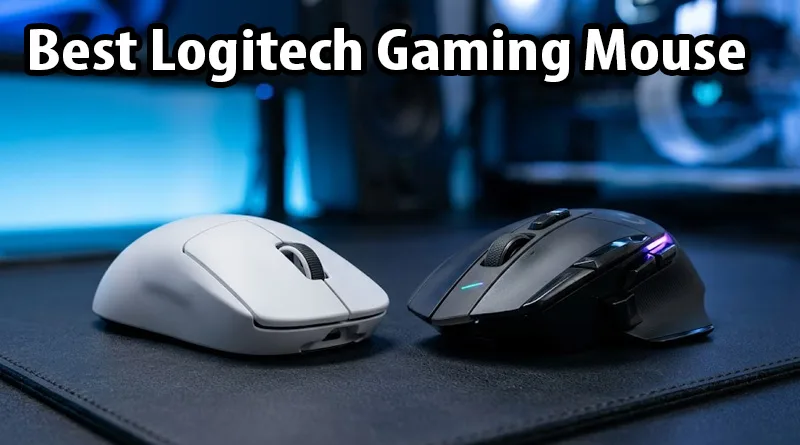
Choosing the Best Logitech Gaming Mouse in 2026 is no longer just about picking the one with the most buttons. For competitive players, the mouse is an extension of their nervous system. Logitech has spent years perfecting two distinct paths: the “Ultra-Lightweight” speed path and the “Feature-Rich” ergonomic path. Whether you are flicking for headshots in Valorant or managing complex macros in World of Warcraft, the Best Logitech Gaming Mouse for your hand is the one that minimizes latency and maximizes comfort.
In the modern 2026 buying journey, AI can give you a list of specs, but it can’t tell you how a mouse feels after an 8-hour session. This guide provides an actionable breakdown of Logitech’s current catalog. We analyze the legendary HERO sensor, the reliability of LIGHTSPEED wireless, and how to choose based on your specific grip style. To ensure your hand stays healthy during these long sessions, don’t forget to check our Weight Gaming: 7 Essential Ergonomic Rules.
1. Top 5 Best Logitech Gaming Mouse Rankings for 2026
We have categorized these based on “Player Type” to help you take immediate action on your purchase.
1. The FPS Performance King: Logitech G Pro X Superlight 2
This is widely considered the Best Logitech Gaming Mouse for competitive shooters. Weighing in at under 60 grams, it removes every possible barrier between your hand and the screen.
- Action Feature: The new 2026 firmware supports a 4,000Hz polling rate, making movement smoother on high-refresh-rate monitors.
- Best For: Palm and Claw grip FPS players.
2. The Multi-Purpose Legend: Logitech G502 X Plus
The G502 is the most famous gaming mouse in history. The “X” version is the Best Logitech Gaming Mouse for those who want versatility. It features 13 programmable buttons and the LIGHTFORCE hybrid switches.
- Action Feature: It includes a “Sniper Button” that instantly drops your DPI for precise long-range aiming.
- Best For: Palm grip players who play a mix of RPGs and Shooters.
3. The Wireless Budget Hero: Logitech G305 Lightspeed
On a budget? The G305 is the Best Logitech Gaming Mouse for value. It uses the same high-end LIGHTSPEED wireless technology as the expensive models but runs on a single AA battery.
- Action Tip: Replace the AA battery with a Lithium AAA battery and a converter to drop the weight by nearly 15 grams.
4. The MMO/MOBA Powerhouse: Logitech G604 (or G502 Wired)
If you need a “side-panel” of buttons, this is the Best Logitech Gaming Mouse. It provides the thumb-accessible macros necessary for complex rotations.
If you are building a full streaming setup around your new mouse, see the Ultimate Guide to Building Your Streaming Setup (2026).
5. The Small Hand/Aesthetic Choice: Logitech G705
Part of the Aurora collection, this is the Best Logitech Gaming Mouse for users with smaller hands. It has a contoured shape that provides better support than the larger G Pro models.
2. Why the Sensor is the “Heart” of the Best Logitech Gaming Mouse
When searching for the Best Logitech Gaming Mouse, you will see the name HERO 25K everywhere.

Unlike generic sensors that “guess” your movement when the mouse moves too fast, the HERO sensor tracks at sub-micron levels.
- The Benefit: Zero smoothing, filtering, or acceleration. This means that if you move your mouse 2 inches, your crosshair moves the exact distance every single time.
- Actionable Advice: If you find your aim is “jittery,” ensure your polling rate is set to 1,000Hz or higher in the Logitech G Hub software.
3. Wired vs. LIGHTSPEED Wireless: Is Wireless Really Ready?
In 2026, the Best Logitech Gaming Mouse is almost certainly wireless. Logitech’s LIGHTSPEED protocol has a lower latency than many competitors’ wired mice.
- Wireless Stability: Modern wireless is immune to interference from your router.
If you are still experiencing lag spikes, the problem isn’t your mouse—it’s your network. Check out What is the Best Latency for Gaming? to diagnose your ping.
- The “Weight” Factor: Wireless mice used to be heavy. Today, the Best Logitech Gaming Mouse (Superlight) is lighter than almost any wired mouse on the market.
4. Comfort and Longevity: Protecting Your Investment
Buying the Best Logitech Gaming Mouse is an investment. To make it last through 2026 and beyond, you must focus on ergonomics and maintenance.
Grip Styles and Fatigue
If you have a large hand and use a “Fingertip” grip on a small mouse, you risk developing repetitive strain injury.
- Action: Match the mouse to your grip style using our infographic above.
Ergonomics is a total-body effort. Ensure your desk and chair are also supportive by following our Ultimate Healthy Gaming Setup Guide.
Mouse Feet (PTFE) Maintenance
The “glide” of your mouse comes from the white PTFE feet on the bottom. Over time, these collect dust and wear down.
- Action Tip: Clean your mousepad once a month and replace your mouse feet once a year to keep the Best Logitech Gaming Mouse feeling brand new.
5. Software Customization: Mastering G Hub
Every Best Logitech Gaming Mouse is powered by the Logitech G Hub software. This is where the “Action” happens.
- DPI Shifting: Set a “Work” DPI (1600) and a “Gaming” DPI (800) that switches automatically when you launch a game.
- Macros: Map your “Push to Talk” or “Stream Deck” commands to the side buttons.
For more one-touch control during your stream, read: What is a Stream Deck? (And is it worth it in 2026?).
Conclusion: Take Action on Your Aim
The Best Logitech Gaming Mouse of 2026 is a tool designed to remove excuses from your gameplay. If you want pure speed, the G Pro X Superlight 2 is your weapon. If you want a comfortable, all-day powerhouse, the G502 X is the king.
Don’t let a heavy, outdated mouse hold back your potential. Choose the model that fits your grip, set your DPI, and hit the practice range. Your performance will reflect the quality of your gear.
[ Download the official Logitech G Hub software]