
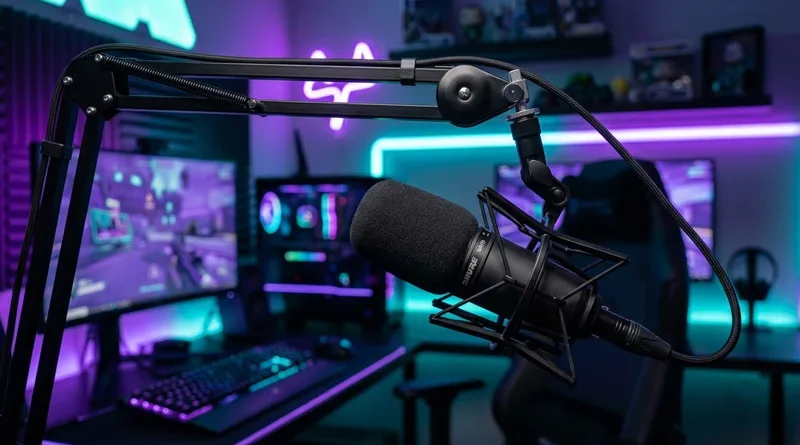
In the 2026 creator economy, your voice is your most valuable asset. Whether you are climbing the ranks in Valorant or building a community on Twitch, the Best Gaming Mic is the difference between a professional broadcast and a low-quality stream that people click away from. AI can summarize text, but it cannot replicate the warmth, clarity, and authority of a high-quality human voice.
Choosing the Best Gaming Mic involves more than just looking at the price tag. You need to understand the environment of your room, the “clickiness” of your keyboard, and whether you want the simplicity of USB or the power of an XLR setup. This guide provides an action-oriented breakdown of the top microphones on the market, ensuring you find the Best Gaming Mic to anchor your setup. If you are also optimizing your visual presence, don’t forget to check our guide on the Ultimate Guide to Building Your Streaming Setup (2026 Update).
1. Top 5 Best Gaming Mic Rankings for 2026
To satisfy the modern user journey, we have categorized these picks by “Action Need”—from “Plug-and-Play” to “Studio Pro.”
1. The Pro Streamer Standard: Shure SM7B (XLR)
If you watch any top-tier streamer, you’ve seen this mic. It is widely considered the Best Gaming Mic for those who want that “radio-ready” deep voice. It is a dynamic microphone, meaning it is incredible at ignoring background noise (like your PC fans or roommates).
- The Catch: You need an XLR interface and a lot of gain (Cloudlifter) to make it work.
2. The Best All-In-One USB Mic: Elgato Wave:3
For 90% of gamers, this is the Best Gaming Mic. It uses a USB connection but includes “Clipguard” technology, which prevents your audio from distorting when you scream during a jump scare.
- The Killer Feature: The Wave Link software acts as a digital mixer, allowing you to control your game audio, music, and voice separately.
3. The Aesthetic King: HyperX QuadCast S
If you want your setup to look amazing on camera, this is the Best Gaming Mic. It features full RGB lighting and a built-in shock mount. It offers four polar patterns, making it versatile for both solo gaming and group podcasts.
4. The Best Value Budget Mic: Razer Seiren Mini
On a tight budget? The Seiren Mini proves you don’t need to spend $200 to sound good. It is ultra-compact and focused entirely on a cardioid pattern to keep the focus on your voice.
5. The Professional Choice: Audio-Technica AT2020USB-X
A modernization of a legendary studio mic. This is the Best Gaming Mic for creators who also do voice-over work or record music. It offers high-resolution 24-bit/96 kHz sampling for crystal clear fidelity.
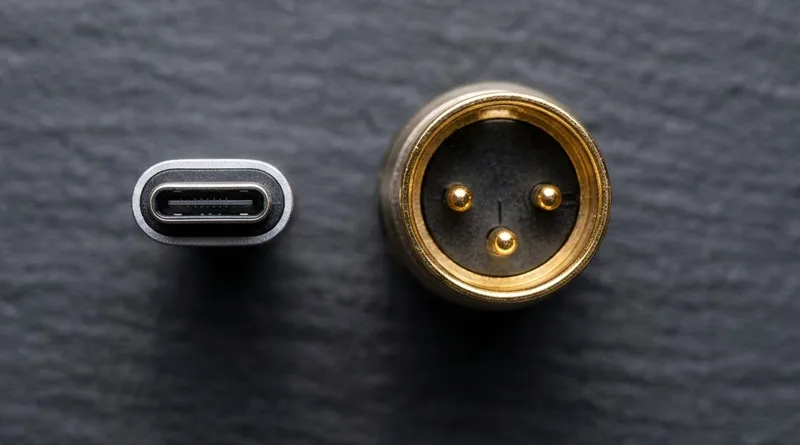
2. USB vs. XLR: Which Connection Type is Best for You?
When searching for the Best Gaming Mic, you will hit a fork in the road: USB or XLR?
The Case for USB
USB microphones are the “Action” choice for beginners. They plug directly into your PC, require no extra hardware, and often come with great software. If you want to start streaming today, a USB Best Gaming Mic like the Elgato Wave:3 is the winner.
The Case for XLR
XLR is for the “Growth” phase. These mics require an audio interface (like a Focusrite Scarlet). The benefit is a much higher ceiling for audio quality and the ability to upgrade your “chain” over time. Most professional “Best Gaming Mic” lists are dominated by XLR options because they offer a more natural, warm sound.
3. The Technical Specs That Actually Matter
Don’t get lost in the numbers. When choosing the Best Gaming Mic, focus on these three factors:
Polar Patterns (Cardioid is Key)
Most gamers should only care about the Cardioid pattern. This pattern picks up sound from the front of the mic and ignores the back. This is essential for a Best Gaming Mic because it helps block out the sound of your mechanical keyboard.
Action Tip: If your mic has an “Omnidirectional” mode, never use it while gaming—your friends will hear everything in your house.
Bit Depth and Sample Rate
In 2026, look for at least 24-bit / 48kHz. This ensures your voice has enough digital “information” to sound smooth and not compressed.
4. Optimizing Your Setup for the Best Gaming Mic Performance
Buying the mic is only 50% of the battle. The other 50% is how you place it.
The Importance of the Boom Arm
A Best Gaming Mic sitting on your desk will pick up “thumps” every time you move your mouse or type. You need a boom arm to lift the mic closer to your mouth and away from vibrations.
Proper setup isn’t just for audio; it’s for health. Learn how to arrange your desk for longevity in our Weight Gaming: 7 Essential Ergonomic Rules.
Background Noise and Internet Bitrate
High-quality audio requires a stable internet connection if you are streaming. If your internet stutters, your voice will “roboticize,” no matter how good your mic is.
Ensure your connection can handle high-quality audio by checking our guide on Does Upload Speed Affect Gaming?.
5. Decision Matrix: Finding Your Best Gaming Mic
To help you take immediate action, use this matrix to find your match:
- Action: I want to sound professional with zero setup. -> Buy the Elgato Wave:3.
- Action: I am building a dedicated studio/podcast room. -> Buy the Shure SM7B.
- Action: I have $50 and need to stop using my headset mic. -> Buy the Razer Seiren Mini.
- Action: I want my setup to glow and look “Gamer.” -> Buy the HyperX QuadCast S.
Conclusion: Elevate Your Presence in 2026
The Best Gaming Mic is an investment in your digital identity. In a world of automated content, the human voice is what creates a real connection with an audience. By moving away from cheap headset microphones and investing in a dedicated Cardioid USB or XLR mic, you instantly elevate your authority in any lobby or stream.
Take the leap today, set up your boom arm, and let your voice be heard clearly. For more advice on the hardware that powers your play, see our Ultimate Guide to the Best Gaming PCs in 2026.
Check current Mic Latency Rankings on RTINGS.com