
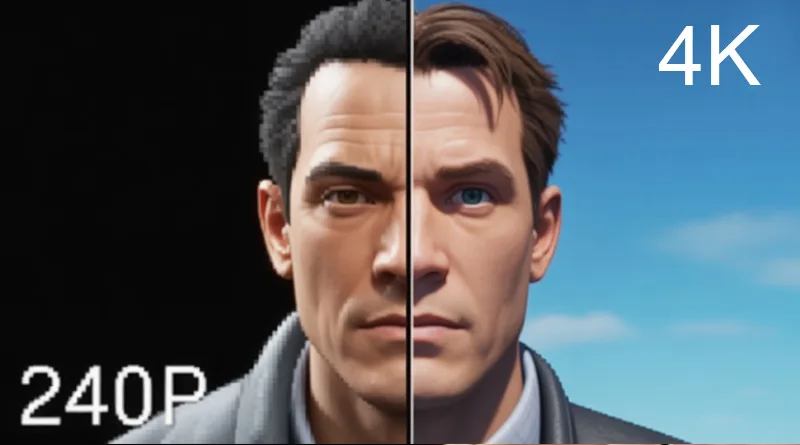
You’ve read the list of the greatest PS1 games ever made and are ready to dive back into Metal Gear Solid or Final Fantasy VII. But the low-resolution, pixelated graphics of the original console no longer hold up on a modern 4K display. The solution is simple: emulation. Finding the best PS1 emulator is the key to unlocking flawless gameplay, modern graphics, and essential quality-of-life features like save states and turbo speed.
An emulator is a piece of software that allows your modern PC or Android device to perfectly mimic the internal hardware of the original PlayStation. This guide reviews the top contenders in the emulation space, comparing them on performance, accuracy, and user-friendliness. For a look at which games are worth the effort, start with our complete list of the 50 Best PS1 Games of All Time
Top 4 Best PS1 Emulator Options for PC and Android
Choosing the best PS1 emulator means deciding between simplicity and features. Here are the top four programs dominating the retro scene.
1. DuckStation (The Modern Champion)
- Platform: PC, Android, Linux
- Pros: Highest accuracy, most modern feature set, clean and user-friendly interface. Excellent upscaling and texture filtering options.
- Cons: Requires a slightly more powerful PC than older emulators.
- Verdict: DuckStation is the current technical champion. It is highly active, open-source, and prioritizes accuracy and modern features, making it the overall best PS1 emulator for a high-performance experience.
2. RetroArch (The All-in-One Solution)
- Platform: PC, Android, Mac, iOS, Consoles
- Pros: Not technically an emulator but a “front-end” that hosts multiple PS1 “cores” (emulators). It is the ultimate all-in-one solution for all retro consoles (NES, SNES, N64, etc.). Excellent controller configuration and shader support.
- Cons: The interface is complex, non-intuitive, and has a steep learning curve for beginners.
- Verdict: The best PS1 emulator for the advanced user who wants to consolidate dozens of consoles into a single application.
3. ePSXe (The Legacy Standard)
- Platform: PC, Android
- Pros: Highly stable, mature platform that runs well on even very old PCs. Simple, classic interface that many users are familiar with.
- Cons: Development has slowed, and it relies heavily on outdated “plugins” which can be difficult to configure and are less accurate than modern emulators.
- Verdict: A good option if you have an ancient laptop, but no longer the technical best PS1 emulator on the market.
4. PCSX-ReARMed (The Android Specialist)
- Platform: Android, iOS, Retro Handhelds
- Pros: The definitive choice for Android devices. Excellent performance and low battery usage, often integrated into commercial retro handhelds.
- Cons: Fewer advanced graphical options compared to PC-focused emulators.
- Verdict: The simplest and best PS1 emulator for mobile-only gaming on a phone or tablet.
Essential Features: What Makes a PS1 Emulator “Best”?
Beyond simply running the game, a top-tier emulator provides crucial quality-of-life features that elevate the experience far beyond the original console.
1. Upscaling and Texture Filtering
The PS1 originally output at a resolution of 240p. Playing this on a modern 4K TV looks muddy. The best PS1 emulator allows you to upscale the resolution to 1080p or 4K and use texture filtering to smooth out the jagged edges. This gives classics a clean, almost modern graphical presentation.
2. Save States and Rewind
Save states allow you to save your progress anywhere, instantly. The rewind feature allows you to literally roll back time by a few seconds after a fatal mistake. These features remove the original console’s tedious difficulty and improve the enjoyment of classic PS1 games.
3. Native Controller Support
The original PS1 controller is iconic, but the DualShock 4, DualSense, and modern PC controllers offer superior ergonomics and analog input. A good emulator recognizes these controllers instantly and allows for simple button remapping.
Hardware and Setup: Getting the Perfect Experience
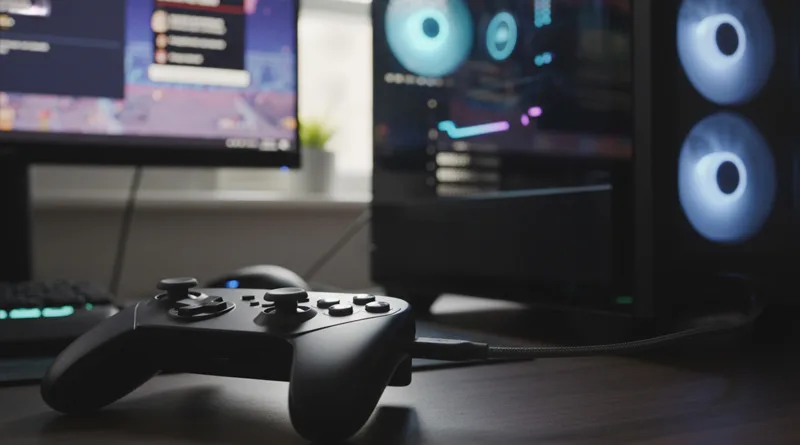
To get the most out of the best PS1 emulator, you need the right controller and a simple, step-by-step setup process.
1. The Controller: Your Most Important Accessory
Playing games designed for a controller with a keyboard is a miserable experience. The single best investment you can make is a modern gamepad.
- Recommendation: Controllers like the Xbox Wireless Controller or the 8BitDo SN30 Pro are highly recommended for their comfortable D-Pads and universal compatibility.
2. BIOS Requirement (The Legal Hurdle)
All accurate PS1 emulators legally require a copy of the BIOS file (the firmware of the original console) to run. Since the BIOS is copyrighted, emulators cannot distribute it. You must legally dump the BIOS from your own PS1 console or source it elsewhere.
3. The ISO/Image Files
You must “dump” (copy) your original PS1 game discs into a readable file format (ISO, BIN/CUE, or PBP). The emulator runs the game from this digital file.
Conclusion: Emulation is the Ultimate PS1 Experience
Choosing the best PS1 emulator is the difference between a frustrating, pixelated mess and a smooth, modern retro experience. For most users, DuckStation offers the perfect balance of accuracy, performance, and features, especially its graphical upscaling.
If you are going to take the time to play the 50 Best PS1 Games of All Time, ensure you do it justice with a high-quality emulator and a comfortable controller. Emulation is the definitive way to preserve and experience gaming history.